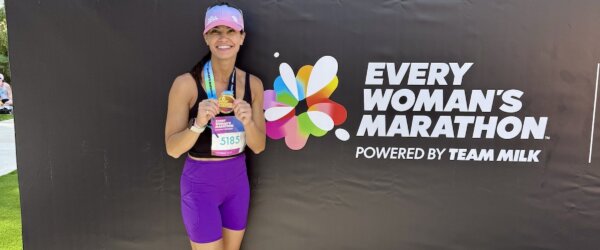
I have been running with the same antiquated GPS (and gigantic!) watch that I’ve had since I started training for my first marathon back in 2008…until about a month ago when I got a major upgrade with the TomTom Spark Cardio + Music GPS Fitness Watch!

Let’s start with a high level overview of all the amazing features of the TomTom Spark Cardio + Music GPS Fitness Watch.
- It can store up to 3GB of music or about 500 songs with playback on bluetooth, wireless headphones
- Built-in heart-rate monitor on your wrist!
- 24/7 activity tracking of everything from sleep to steps
- Automatic sleep tracking without having to set it to sleep mode
- Multi-sport mode…you pick if you’re hitting the gym, cycling, running or going freestyle
- GPS tracking with quick connection to satellites
- Smartphone app and notifications
- Customizable straps
- Audio feedback when used in training mode
- Wireless syncing
- Waterproof to 40m (5 ATM)
- Race mode
- Interval training

I feel like all of my watch and music dreams have come true having it all in one device. I don’t know if you’ve ever experienced what it’s like to run with an 18-month old, overly-enthusiastic golden retriever but let’s just say the more hands you have available, the better.

{Outtake.} Case in point. I actually dropped my iPhone and shattered the screen while running with Zoey back in February. I was thrilled to receive a device where I didn’t have to hold anything in my hands PLUS the headphones are wireless and fit neatly behind my ears. I always tuck my regular headphones into the side of my sports bra because I hate when the cords flap in my face.

I am not super tech-savvy but I had the TomTom Spark up and going out of the box faster than anything I’ve ever used before. I appreciate that it comes in a small and large size so that those of us with smaller wrists aren’t left with dangling straps. The watch bands are customizable and they offer many different color combos.
Three easy steps get you started:
- Visit the TomTom Get Started web page and download the MySports Connect desktop application. This will automatically send the latest updates to your watch.
- Connect your watch to a computer before you start exercising by using the desk dock provided.
- Register for the MySports website to track your statistics after your runs. You can also view your activities and upload to MySports via the MySports mobile iOS or Android app.

The TomTom Spark tracks all of your daily activity, making a secondary activity tracker unnecessary. You get data on both your steps and your sleep.

And when it comes to workouts, you get to choose what type of workout you’re doing from the following options:
- Running
- Cycling
- Indoor cycling
- Gym
- Treadmill running
- Swim
- Freestyle
Additionally, the TomTom Spark allows you to select from five different heart rate zones to help you meet your fitness or training goals.
- Sprint: All out: mostly used as part of interval training
- Speed: High tempo: training improving speed and fitness
- Endure: Moderate to High tempo: improving lung and heart capacity
- Fat burn: Moderate tempo: great for weight loss
- Easy: Easy tempo: mostly used for warm-up and cool down

If you set the watch to training mode you can choose from the following:
- Goals – distance, time, calories
- Intervals – you get to set you work and rest intervals as well as number of sets
- Laps
- Zones (pace, speed or heart rate)
- Race
When in training mode, the TomTom Spark can offer you audio feedback via the bluetooth headphone telling you things like slow down, pick up the pace, you’re halfway to your goal, etc. It’s good motivation and nice not to have to continually look at your watch for the info.

Right on your wrist you get real-time info on time, distance, speed, pace and calories burned but on the app you can see more in-depth stats.

It’s nice to be able to easily see your splits in the app and you can also toggle down to see things like elevation, speed, pace and heart rate.

But I haven’t just been wearing my TomTom Spark for running, I’ve also been wearing it to yoga classes and to the gym. It’s so awesome to have the ability to easily track heart rate and calories burned. Moreover, I so appreciate the bluetooth headphones and being able to listen to my own music versus whatever is playing at the gym while lifting. While I can hold my phone when running, that doesn’t work for gym workouts. I felt so much more in the zone and focused with the headphones in.
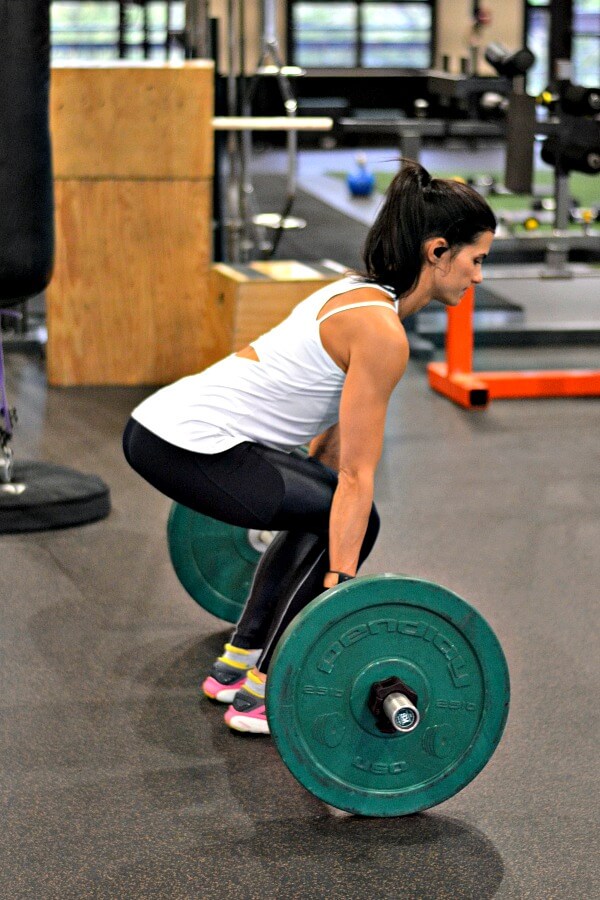
They stayed put with no adjusting or falling out through everything from deadlifts to jump squats to burpees.

If you’re in the market for a new GPS watch and would like the benefit of combining your music and heart rate monitor and fitness tracker all in one, I would definitely recommend the TomTom Spark Cardio + Music Fitness Watch. It’s been a great upgrade for me and I look forward to continue to utilize it to help me meet my running and overall fitness goals…while staying motivated by my favorite playlists!
Do you run with a GPS watch or a heart rate monitor? If so, how does it help your training?
Do you prefer to workout with or without music?
This post is sponsored by TomTom but the review is my own.